

How to Photograph Blank and Custom Apparel for an Online Store
In this guide
Good apparel product photos show the garment's shape, color, texture, and important details consistently. Use a clean background, soft controlled light, and a stable camera position. Photograph the actual item being sold, include front and back views, and add close-ups of decoration and construction. Keep editing restrained so customers receive what the images led them to expect.
Build a simple, repeatable setup
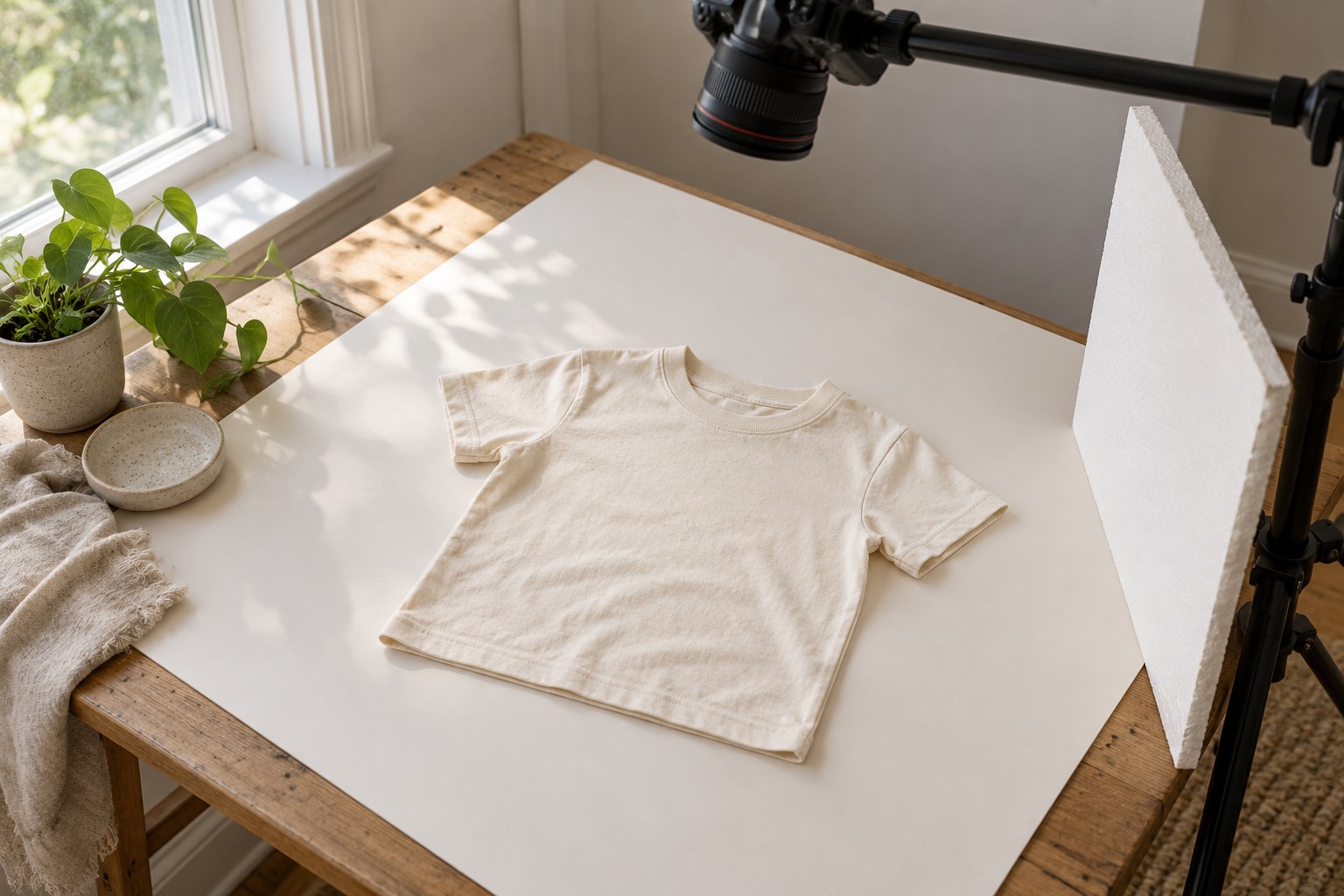
A matte board near a window can work for small garments. Diffuse harsh light when needed and use a white reflector to soften deep shadows. Avoid mixing daylight with strongly colored room lighting, which makes accurate color more difficult. Secure the camera or phone support before arranging garments underneath it.
Mark the garment position and camera height so products are framed consistently. Leave enough space around sleeves, hems, and accessories. Use a background that separates from the garment: an ivory tee can disappear against a bright white surface without careful lighting.
Prepare the actual garment
Check for lint, loose packaging, and distracting creases. Use only preparation methods allowed by the care instructions, especially after decoration. Arrange the item naturally without stretching the neckline or pulling the sides into an unrealistic silhouette.
For a product assembled from baby blanks or toddler garments, make sure the photographed sample matches the advertised style. If a listing includes a set, show which pieces are included and keep optional props clearly separate.
Capture a useful shot list
| Photo | Customer question it answers |
|---|---|
| Full front view | What is the overall shape and design? |
| Full back view | What does the reverse look like? |
| Fabric and seam detail | What texture and construction can I expect? |
| Decoration close-up | How do the print or stitches look? |
| Closure or special feature | How does this part of the garment work? |
Use comparable framing across colors and styles. A close-up is useful, but it should not replace the complete garment view. For personalized products, show an approved sample and explain which text or design elements the buyer can change.
Keep color and retouching honest
Set white balance consistently and compare the edited image with the physical sample under suitable light. A neutral reference photographed during the session can help diagnose a color cast. Screens still vary, so write accurate color descriptions rather than promising a perfect screen-to-fabric match.
Remove background dust or correct exposure when appropriate, but do not erase construction details, invent a different fit, or digitally smooth away texture customers will see. Illustrations and digital mockups can explain a design concept when clearly identified; they should not replace actual product evidence where texture, color, or fit is the selling point.
Prepare images for the store
Export consistent dimensions at a quality that preserves useful detail without unnecessarily large files. Use descriptive filenames and concise alternative text that explains the image's relevant content. “Sage baby bodysuit with white leaf embroidery” is more useful than a string of repeated shopping keywords.
Keep originals and an organized record of which style, color, size, and artwork appear in each file. Our sample-order guide helps establish approved samples, and the baby gift set guide covers bundle presentation.
Frequently asked questions
Can a phone take good apparel product photos?
Yes. Consistent lighting, stable positioning, careful preparation, and accurate color matter more than buying a complicated setup before learning the basics.
Should every product use a model?
No. Clear flat lays and detail views can communicate a great deal. If fit is important, supplement them with suitable fit information or representative worn images.
Can I recolor one photo for all garment colors?
Photographing the actual colors is more reliable. Digital recoloring can miss differences in texture, trim, and shade; clearly identify any illustrative mockups and verify them against real samples.

